S02E22 46mSeason 2

.NET Summit 2020
Have you heard about .NET Summit? .NET Summit 2020 will be held online on August 7 and 8 (3pm-7pm GMT+3). Speakers include podcast alumni Dylan Beattie, and upcoming guest Alexey Golub. Check the website for .NET Summit for updates.
Regular tickets are on sale at 65 EUR - get yours before price increases on July 28 - at
https://dotnetsummit.by/#tickets. Listeners of the podcast can get a 15% discount by using the discount code DOTNETCORESHOW15 at checkout.
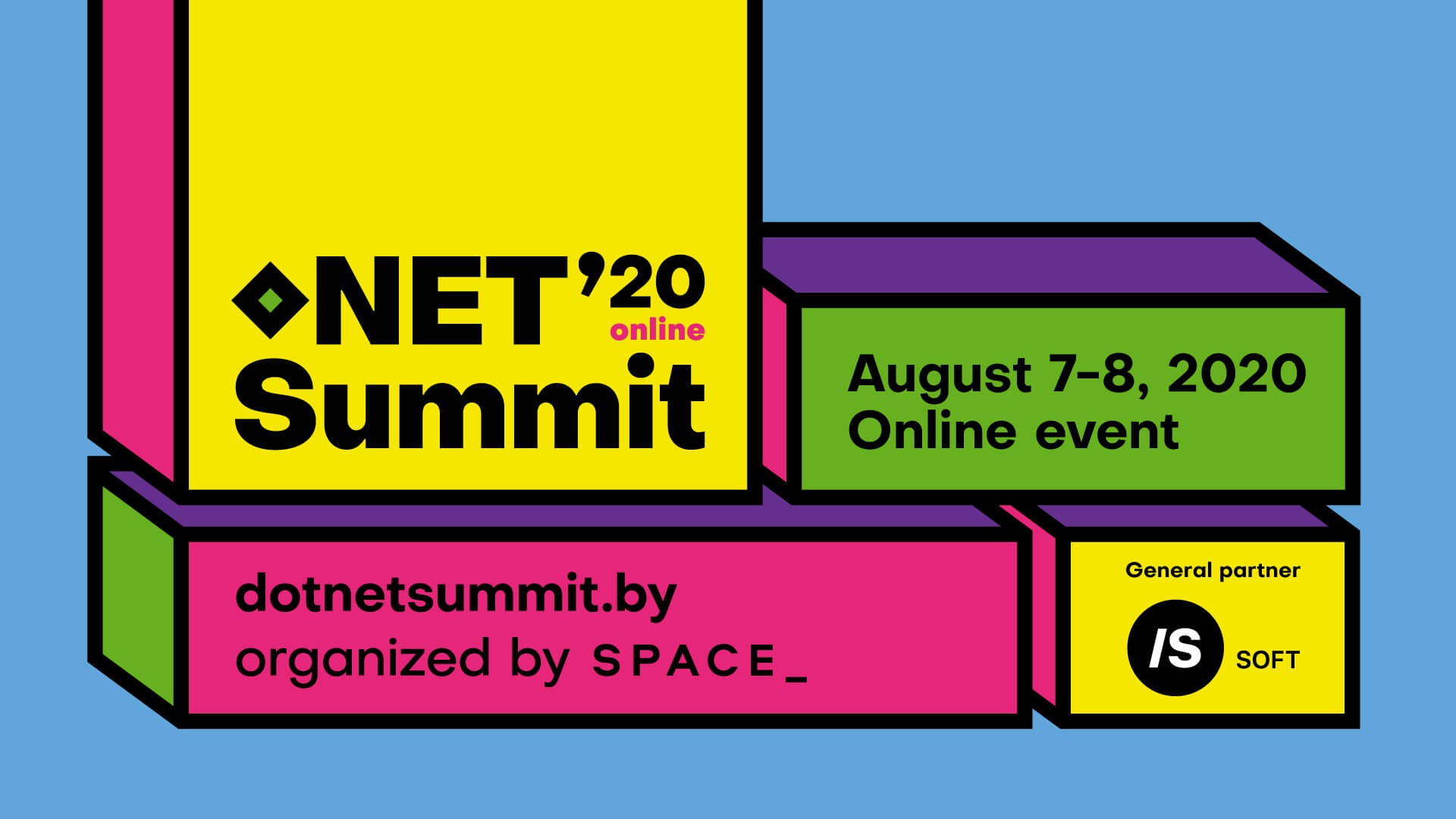
.NET Summit 2020
Episode Transcription
Sponsor Message
This episode is sponsored by ConfigCat
- Are you looking for a service to support dynamic feature toggles?
- ConfigCat is the feature toggle service for teams.
- It is cross-platform, trainable in 10 minutes or less, and it’s the same price regardless of team size.
Check out
ConfigCat and get 50% off any paid plan with code NETCORESHOW or just use ConfigCat’s generous free tier.
The following is a machine transcription, as such there may be subtle errors. If you would like to help to fix this transcription, please see this GitHub repository
Intro
Hello everyone and welcome to THE .NET Core podcast - the only podcast which is devoted to:
- .NET Core
- ASP.NET Core
- EF Core
- SignalR
and not forgetting The .NET Core community, itself.
I am your host, Jamie “GaProgMan” Taylor, and this is Episode 54: Api Endpoints With Steve Smith. In this episode I interviewed Steve (a.k.a Ardalis) about his NuGet package: API Endpoints. Which is a way of reducing the reliance on the MVC “anti-pattern” and adopting cleaner, more well-structured code for your Web API projects.
This is Steve’s second appearance on the podcast - his first appearance was on episode 9 of the show, when we talked about design patterns.
So let’s sit back, open up a terminal, type in dotnet new podcast and let the show begin.
Jamie
Steve
Jamie
Steve
Jamie
Steve
Jamie
Steve
Jamie
Steve
Jamie
Steve
Jamie
But yeah, so like I said earlier on, we’re going to talk about API endpoints. So one of the things that I noticed when I was reading through the documentation for the repo, and we’ll have a link in the show notes was one of the things that you’d said in there was that MVC controllers are now an anti pattern. I was wondering, could you be expanding done that a little bit.
Steve
And when you think about the concept of cohesion, which has been a principle of software development for for a very long time, I think I first read about it in code complete back in the 90s. The idea that these different parts of your classes should be cohesively they should be related to one another, they should work together: controllers don’t really have that most of the time. I mean, yes, they have a similar name. And that name is maybe used for routing purposes. But if you look at all the different actions frequently, they do very different things and operate on very different services or dependencies or even model types from one another. And they very rarely, if ever, call one another, right usually have these different controller action endpoints that are completely isolated from one another. And the only reason they’re in the same controller is for organisational purposes, or perhaps for routing purposes.
Jamie
Steve
And controllers, I mean, we’ve known for a long time, that controllers should be as small as possible. And maybe not all listeners think that or agree with that, or have heard that before. But the reasoning behind that is that controllers should only be concerned with user interface concerns where they’re part of the UI, they’re part of the web layer. The only things that should be in there should be web related things, right? Well, what web related work does an MVC controller need to do in ASP. NET Core, or even ASP NET MVC? Well, it should do model validation, it should do model binding, it should be dealing with routing. It should take whatever inputs have come in, and translate them into the model that the application uses. And maybe that isn’t even it’s concern, but often that’s something it does.
The application should be responsible for the application logic, not the controller. But whatever the application turns back as a result, the controller typically is responsible for translating that into some kind of an action result or HTTP status code and returning that. And so that could be that the controller does all of that work inside of it, in which case, it’s going to be very bloated, and it’s going to not follow solid, and it’s gonna probably have a lot of repetition between different actions. But a lot of those things are cross cutting concerns that we can pull out into filters, or that already exists as features in the framework, right. Model binding and model validation, MVC does that for you. Routing, it does for you. So you don’t need any code for that. And so if you strip away all the things that are cross cutting concerns, and you make it so that your controller, the only thing it does is take in some argument that has been model bound by the framework, passes it to your application layer or your domain. And then takes a result back and converts that into an action result. Now each action can be relatively small, right?
And so you might have a controller that has a bunch of actions on it. And each one is only, you know, three to five lines of code. And that would be a pretty well designed controller. But it would still be probably much bigger than it needs to be in terms of how many concerns it has and how many actions it has to deal with compared to a single action controller, which would be like an endpoint.
Jamie
You have to obviously, balance that out with the the KISS principle as well, you know, the way that I see it is that my MVC controllers, whether it’s, I mean, now API and standard controllers, and they’re mixed into one in .NET Core, but the way that I see it is that my controllers are kind of like an interface to my application, right? Like you were saying I want has very little code in there as possible, because I’m going to throw something at it. The implementation is something else that the application deals with, and then it It’s gonna give me a response. Right?
Steve
Jamie
Steve
Another thing that you see in traditional controllers is: if the team has realised that they should be using separate DTOs, and they’re not just using their domain model types, for their for their API wire format, which they absolutely should not be doing right. You definitely want to have separate DTOs for your wire format. But assuming that they have that they probably have a separate folder that’s got their API models or view models or whatever they’re calling them in it, right.
And so your domain model, maybe it has like customers and orders. And your view models or your API models has like customer DTO, and order DTO. And then you’ve got an order controller and a customer controller, and all of their things are taking in customer DTO as an order DTOs, right? That’s very common. But it doesn’t necessarily work as well as you would like, because different endpoints are going to need different kinds of data. Right? When you create an order, you need different data than when you update an order, and certainly different than if you were to delete it. And if you want to get a list of a customer’s orders, the information that you might want to return back is likely very different per order than when you created it. And so trying to reuse the same DTO for all these different things. doesn’t work very well in practice.
But because of the way the MVC pattern has been taught to so many developers, they think, “I have a model that goes with a controller, and has some kind of a response or view,” I mean, if we’re talking API’s, we only have a view, but we have some kind of a response. And that’s like the grouping right one controller with one model. And it’s really not accurate, right, you want to have distinct fit for purpose models for both the request, the message being sent to the API, and for the response coming back on a per endpoint basis. And that may seem like it’s overkill in terms of how much code you have to write, or how much effort it is to put that together. But it’s really not. And what it does is it gives you a very fit for purpose and customised experience for the API. So the API is only getting the data it needs. It’s only returning back the data the client needs, and that has impacts on performance, it has impacts on security. There’s a very common security issue where, if you do use your domain objects or your data model objects as your wire format, model binding will allow an attacker to set properties and set data on rows that you didn’t think you were exposing necessarily. But because you were model binding to your data model, an attacker could guess certain properties that might exist there, model binding will set them. And then depending on how you perform your insert or your update, you’ll put that data right into your database, which again, is just one more reason why you should never do that always use these separate DTOs.
And so with endpoints move into that, what we have in the API endpoints project is each endpoint has a request and a response that goes along with it. And they get wired up to it inside the UI. So when you look at it in Visual Studio, you’ll see an endpoint and then if you expand the arrow next to it along with it, you’ll see the command and the result that go along with it. And so every single one has some kind of a command that it can take, and optionally they’ll have some type of a result.
Jamie
There’s two things that we’re talking about, we need to simplify them by making the controller smaller and simpler and being almost like a facade. And the other thing is obviously creating separate, almost like an action based architecture rather than a controller based architecture. So obviously, for the keeping controllers simpler and having them as a facade, could I not use something Mediatr to provide this? I guess it’s that second point that where API endpoints is different from things like Mediatr?
Steve
So yeah, Mediatr is like a stepping stone to API endpoints. Most teams haven’t even gone to Mediatr yet. But many have. It’s super common and popular these days. But I would say it’s still in the minority. I don’t think most ASP. NET Core Web API developers are using it. But yeah, my article I wrote last November - in 2019 - talks about using Mediatr for this purpose. And so taking a system that just does all the work in the controller, and then introducing Mediatr, which now creates just a command and the controller and fires that off using
Mediatr.Send(). And then separately, you have a handler that does the actual work. The benefit of that is that now your controller, every single endpoint basically just says Mediatr.Send(), and then return the result that comes back from that.And so you can have a single dependency on all your controllers have just Mediatr. And in fact, you don’t even have to have that in the constructor. If you use a base controller and you create Mediatr as a property, you can use property injection to make sure that that’s always populated when the controller is executed. And then every single one of your actions just literally says
Mediatr.Send() in returns a result, and your controller is much slimmer.You still end up with, you know, an arbitrary number of actions on there. And you still have to write these separate handlers for each one of those actions. But it’s certainly a much better design than if you just put everything in the controller. Alright, so that’s, that’s already something that a lot of developers are happy with and have been being successful with. I haven’t talked to any teams that have gone that path and regretted it seems like most of the time, they’re happier with having that cleaner execution.
The only thing that is a learning curve, and then is, you know, temporary stumbling block that some teams report is that new developers on the team that aren’t familiar with the Mediatr pattern, sometimes are taken aback by, “where’s the actual code, right?” If they’ve been doing MVC for 10 years, and they come in, they look at something that now is using Mediatr to handle the work, they don’t see where the actual code to execute that action is. And they have to be taught how to go look for the handler for that command. And that takes about two minutes, right? If somebody says, “Hey, every time you see
Mediatr.Send() this command, just right click on the command and find all usages, and then go to the handler for it.” As soon as you’ve seen that a couple times you get it, right. It’s not rocket science. But it is different. It does have like a Who Moved My Cheese kind of feel to it for developers that aren’t familiar with that pattern.API endpoints is extremely similar to that but it just takes it one step further. It says, “you know what, why do we have to Have this intermediary, where the controller now has to have every single action method looks the same, and does the same thing and uses
Mediatr.Send(), to have these handlers do all the actual work that’s not following don’t repeat yourself, right? Every time I need a new action, I have to copy an existing action and put literally the exact same code in it to call Mediatr. But just with a different command. Why do I need that right?” And so API endpoints just gets rid of that. And you don’t need to have Mediatr at all. You don’t need to copy every single action inside of a controller to do the work, and then have a separate handler class to actually do the real work. Now you just create endpoints, endpoints have a single method called Handle, and you put your work there.And that’s it. There’s fewer moving parts, and there’s no duplication.
Jamie
But yes, I do like the idea of don’t repeat yourself, because I recently have been rereading The Pragmatic Programmer. And the idea, obviously, is, every time you copy code, you’re coupling each instance of whatever that code is being called from, to that copy of the code. And then you’ve got to go and say, in [several] weeks time when someone goes now there’s a bug with that code. You got to remember to change it in all of those different places. And it just gets to be a bit of a mess. It’s why we have things like interfaces and why we have resource files, because it’s pointless hard coding, for instance, a number of strings in 14 different places because you’re only going to remember to change 13 of them right? And then someone’s going to raise a bug report that says, “hey it used to say this, and it still says this”. And you’ll be looking at the code going, “but I’ve changed them all.”
Steve
Jamie
So then, going the other way, we’ve talked about how it’s different from Mediatr, right? We’re also talking about I saw in the description of the code in the GitHub repo in the readme, there’s a thing about put your view models or DTOs, in a relatively easy to find place and group your API endpoints together. That kind of sounds a little bit like feature folders.
Steve
So razor pages is actually very much like feature folders also, but in many ways better in terms of how they’re organised because if you ever have used razor pages, the view part of the page and the model part are linked together in Visual Studio so you don’t have to go hunting for it in a different folder. And that’s one of the most annoying things about the MVC pattern is the traditional way that the Microsoft project templates have been structured is that they have a controllers folder and a models folder and a views folder. And on any large project, you’re gonna have to touch all of those, and you end up scrolling back and forth throughout your solution explorer to do it. And so along the way, many people, myself included, have come up with ways to do feature folders that make it so that these things are grouped more closely together, right. And the things that change together are packaged and grouped together in your IDE.
Razor pages does this really well. And I took that as my inspiration to create the endpoint package. And so I kind of use the same technique where, for any given endpoint, like let’s say you have an update endpoint on your API, you might have a folder, let’s follow my example I was using earlier of customers and orders. So maybe you have customer endpoints as a folder. Think of that as your feature folder. It’s all the all the endpoints related to customers. And within there, you maybe have an update.cs file, that is the endpoint for customer update. Chained off of that, you know, using the the the TreeView in the Solution Explorer, would be the command and the result that are used for that. So the command would have just the things that you would send to the endpoint in order to perform an update for that customer. And then the result would have whatever comes back as the result, perhaps the updated customer would typically be the thing coming back.
Jamie
Steve
Sponsor Message
I’d like to take a moment to tell you that this episode is sponsored by Datadog. Also stick around for the next 30 seconds to find out how you can get a free t-shirt!
Datadog are a monitoring and analytics platform which monitor your infrastructure, application performance, and log management.
Are you looking to move to the cloud, microservices, or .NET Core? Datadog can help with that. Their distributed tracing and APM provide end-to-end visibility into requests wherever they go. Whether it’s across hosts, containers, or service boundaries.
See for yourself! Start a 14-day trial today, and Datadog will send you a free t-shirt!
Find out more at datadoghq.com/dotnetcore - that’s datadoghq.com/dotnetcore - or check the show notes for a link.
Jamie
dotnet new MVC in the command line. And then I add the relevant NuGet package, which I believe is our Ardalis.ApiEndpoints.Steve
Jamie
Steve
So there’s a sample app in the GitHub repo for it. So if you go out to github.com/ardalis/apiendpoints, you’ll see one of the folders in there is a sample endpoint app. And this is literally as small as you can get, you know, an MVC project that you just described like a File > New Project, but it has added some crud endpoints for dealing with authors in this case.
And so if you were starting from scratch, what I would recommend you do is create a folder. And this doesn’t matter if you’re in a File > New Project, or if you’re an existing large project, you just want to try these out. Create a new folder in the root of your web project called whatever endpoints. Or if you’ve got a folder called API already, maybe you create a sub folder under API for the thing that you’re dealing with, right? If it’s authors, and maybe you have a folder called authors under API. Either way, the folder structure doesn’t really matter.
Inside of that folder that is specific to a particular resource. Think of that folder as being a replacement for your controller. Alright, the controller used to be the thing that grouped together your endpoints. Now we’re going to use folders for that purpose because that’s what folders are good at. In that folder, you’re going to have a different class for each endpoint. And so if you had CRUD operations for an author, you might have creates, and gets, and lists, and update, and delete Well, that’s exactly what the sample has inside of the GitHub repo.
And so the first thing you would do if you want to create your first endpoint is you would just add a new class. Now, unfortunately, there’s not templates that you can say File > Add New Item in Visual Studio, I suppose if this gets popular, someone could create those or I could work on that. But for now, just create a class, name it whatever you want to name it, let’s say you’re going to have a post that’s going to let you create a new author, then call it create, you just need to have it inherit from the base type that you get inside the NuGet package. So probably, you want it to be async. And so you would inherit from the
BaseAsyncEndpoint.And these endpoints are generic, so they take in a command and a result. So you’ll define whatever the arguments are that you want to come in as your command, you’ll have that be the Create author command or the author create DTO or wherever you want to call it. And then you’ll define whatever the result is. So in the sample on GitHub, there, it takes a create author command, and it returns a create author result. And that’s it.
So once you have created that one line of code, right your
public class Create : BaseAsyncEndpoint<CreateAuthorCommand, CreateAuthorResult> , then you should be able to use Visual Studio to say control dot and an implement this class, right? Because it has a, an abstract method that you need to implement, which is the BaseAsyncEndpoint method. And so Visual Studio should prompt you to give you the method with the correct signature. And that’s where you would do your work. And so that method, you’ll have to decorate it with a route. So in this case, I would give it something like [HttpPost] and then, you know,/authors, for instance, if that’s where I want the post to go. And then in there, I do whatever the work is that I want to do when someone tries to create a new author.Jamie
Steve
I think you kind of have the best of both worlds have, you have, you know, small classes that are easy to understand that follow solid, but the consequence of having small classes is that you end up with a lot of files. And so organising the files and tracking down the files can be a challenge at that point. But these files are all grouped together. The endpoints are grouped within a folder, and the commands and the results are literally attached to the endpoints. So when you you know, just expand them inside the solution explorer, you can see the command and in the result that go with it. Which I would love to display, but you know, this is a podcast?
Jamie
Steve
Jamie
Steve
Jamie
Steve
Yeah, I’d be curious to know that. And if it doesn’t, if there’s a way for Rider to support that, I’ll try and add that. But the support in Visual Studio I found is really nice.
Jamie
Steve
The thing about these endpoints is there’s not a lot of code to them. Like if you look at the NuGet package, and you look at the actual source, there’s almost nothing there. Because all I’ve done is I’ve taken
ControllerBase that ships with MVC, and I’ve inherited from that to create these generic versions of it that are these endpoints. And so I’ve made them generic. I’ve made them take it a request and a response, or just a response, I think earlier I said just a request, but it’s actually just a response type that they’ll take. And I’ve given them this abstract Handle method, either just a Handle or a HandleAsync, depending on whether you want it to be async. And that’s it.So like, these endpoints are controllers, but they only have one handle method. And so they should only ever do one thing. Now, technically, since they are controllers, if you wanted to add a bunch of different actions to them, you could, but you should never do that, right. And I’ll try and have some, some Roslyn checks or something that will, you know, detect if you’re doing that and tell you that you shouldn’t. For now, I don’t think that’s there. But I think that might be useful later.
But the whole idea of this is just that it’s applying some constraints on how you write your code that result in you writing better code. I’ve gotten some feedback from some folks that have looked at this and they’ve said, “Well, I could just do that now. I could just have controllers and just only put one action on them now.” And I’m like, “yeah, you could but do you? Like does your team?” Like most teams don’t, right. That’s not how most teams think about controllers. And so having this different abstraction and leveraging this pattern kind of helps lead developers into the pit of success, where doing the right thing is obvious and easy. And there’s lots of examples to follow once you start going down this path, not my examples, online examples, but examples in your codebase, right. You can look at other endpoints in your codebase and see, “oh, this is how we’re doing things,” and then follow that example. Right? Whereas if you have a bunch of controllers that are 1000 lines long, guess what example they’re gonna follow.
Jamie
Steve
Jamie
Steve
So this isn’t necessarily like I get away from calling it the MVC pattern because it doesn’t have a view because it’s an endpoint. It doesn’t have controllers anymore. It’s, it’s, it’s more like it’s got requests endpoint response. And the best acronym I can come up with that is like Reaper, like, you know, REPR, right - for, you know, take the EP for endpoint. It’s just a different way of thinking about it, right? Instead of having a controller as the centre of the universe, you have an endpoint as the centre of the universe for each API endpoint. And since each API endpoint does stand alone, I think that makes sense.
Jamie
Steve
Jamie
Steve
Jamie
You mentioned earlier on, that the idea came from sort of taking that razor pages idea. And I guess taking it to the next logical step. What prompted this idea? Was it just a case of, “Hey, I’m working with a client and they have a controller that has 1000 lines in it? How do I split that out?” Or is it just you kind of sitting there noodling around playing around with code and was like, “Huh, I think I’ve discovered a pattern here.”
Steve
And so I talked to them. I talked to Microsoft, I said, “Hey, why don’t we do something like this for API’s? Why don’t we just introduce an endpoint type to do this? And you could just follow the same model,” and they said, something along the lines of, “that’s good feedback. Yeah. Why don’t you go work on that we think an open source person could do that,” and basically said they weren’t interested in doing it. And so that’s mostly what prompted me to do it myself. As I’ve been doing things with Mediatr for a while, I like the separation that Mediatr gives you in terms of having each handler only do one thing, and only have to worry about its dependencies, and only have to focus on its responsibility. But I didn’t like the fact that I still needed these shells of controllers whose only purpose in life was to route things to those handlers. And so the the endpoints, you know, basically came out of that it was like, “how can I take the idea of of Mediatr command handlers and make that be the first class thing in ASP .NET Core Web API?” And endpoints was was the result of that and it took almost no code, right?
I mean, if you look at what’s in here, it’s it’s really trivial to implement. And, and I think part of why Microsoft’s not keen to do it is that they don’t want one more different thing to have to document and support. They don’t want the community to say, “Oh, the sky is falling,” when it comes to MVC or controllers. Because every time Microsoft says, “hey, we’ve got this new way to do X.” Everybody looks at the old way to do X and says, “Oh my God. The old way is dead, you know, Microsoft’s abandoning it everybody go somewhere else,” you know. And they don’t want that drama. Right. And you saw some of that with razor pages when it first came out. And it didn’t get the warmest reception because people wanted to associate it with web forms. And so Microsoft’s not interested in fighting that battle. They’re much more interested in unifying dotnet and shipping dotnet. Five.
So it’s on the community to see if they like endpoints as a better way to do API’s. I think they are. Hopefully, some of your listeners will try it out. And if they agree, great. If they have feedback, you know, send me an issue. Hit me up on0 Twitter. I’m Ardalis everywhere you’ll find me.
Jamie
Steve
Jamie
Steve
Jamie
Steve
Yeah. The original blog post from November 2019 is called moving from controllers and actions to endpoints with Mediatr. And you can just Google for that, or you probably will have it in the show notes. I don’t have one that’s just about API Endpoints by themselves and how to migrate to them. And now that you say that, it seems sort of obvious that I should so the readme file on the GitHub repo should have most of the information that you would need, but I think a blog post would probably have Reach. So I should definitely get on that. If by chance that happens before your show goes out, you can add that to the show notes as well.
Jamie
Just looking at the GitHub repo, there is a seven step getting started. But you really only need the first two, and that is add the NuGet package and create a class. And that’s pretty much it.
Steve
Jamie
Steve
Jamie
Steve
And if anyone needs any assistance, like, you know, implementing this type of thing, or clean architecture, better domain driven design type approaches with their team, feel free to reach out, you know, see if we can do something these days would probably be remote. And, I’ll be happy to do a lunch and learn or do a workshop for your company or your team and help you get started down this path. Because it’s, it’s definitely a lot more enjoyable to work with code that’s well organised, and easy to test and easier to maintain. than it is legacy code that, you know, everything seems like it’s gonna fall apart if you touch anything. I’ve found so.
Jamie
ControllerBase sorry. It seems like it would be trivial, I think would be the right word, a trivial to test, because then you’re not. Let’s say you have a controller that has four actions. But you have to inject 12 different dependencies, because three of the other actions require them. And your action doesn’t feel like that would be simpler to test if you were using API Endpoints, because that one action is a single file and everything it needs is there, right?Steve
I wouldn’t generally recommend directly testing endpoints or API actions with like a unit test, you know calling the method directly and having to worry about injecting those things into the controller. Typically, I would test those with a functional test, where you’re actually using the the built in test server, the ASP .NET Core has, and making, you know, actual, not over the network, but actually HTTP requests to that test server, and then checking what the responses are. But yeah, that that stuff is all certainly easier to follow easier to debug through. It’s easier to spot problems easier to prevent problems, because you only have the things you care about and the things that that endpoint is actually using in that endpoint class.
Jamie
Steve
Jamie
Steve
So yeah, on Pluralsight recently, I’ve been updating my design patterns courses. So I’ve got a couple new courses on adapter and proxy design pattern. And by the time this goes live, they’ll probably be courses on Singleton and introducing design patterns, as well as the domain driven design course that Julie and I are probably gonna update later. If folks want me to help them with their team doing some training or mentoring, just find me on ardalis.com. And send me a message on the contact page there. I also do career mentoring for developers. So if you want to accelerate how fast you’re climbing up the corporate ladder, or you’re thinking about going independent, or you’re thinking about switching to a different job, and you want help building up your resume or your online brand or your skills, I have a group coaching programme that I run through a website called devbetter.com. You can learn more there and it’s a monthly subscription, then we meet every week and have an ongoing chat throughout the week as well, where you’re free to ask me anything, essentially. And then, if you if you need some promotion of a project that you’re doing or of your website, I’ll help promote you through my channels. And as I find opportunities, I’ll try and route them to members that you know, I think could handle them and so far, I’ve been doing it for about a year and a half and it’s been pretty helpful for a number of people.
Jamie
Steve
Jamie
Steve
Jamie
Steve
Jamie
Steve
The above is a machine transcription, as such there may be subtle errors. If you would like to help to fix this transcription, please see this GitHub repository
Wrapping Up
That was my interview with Steve Smith. Be sure to check out the show notes for a bunch of links to some of the stuff that we covered, and full transcription of the interview. The show notes, as always, can be found at dotnetcore.show, and there will be a link directly to them in your podcatcher.
And don’t forget to spread the word, leave a rating or review on your podcatcher of choice - head over to dotnetcore.show/subscribe for ways to do that - and to come back next time for more .NET Core goodness.
I will see you again real soon. See you later folks.